


Where the reader still hangs outside the device
At time-recording terminals, dispensing cabinets, vending machines or machinery, a card is supposed to trigger something: sign in, unlock, record a booking. Often a desktop reader hangs on a USB cable next to the device or is screwed onto the front later. It works, but it looks makeshift, and the cable is the first thing to tear off in daily use.
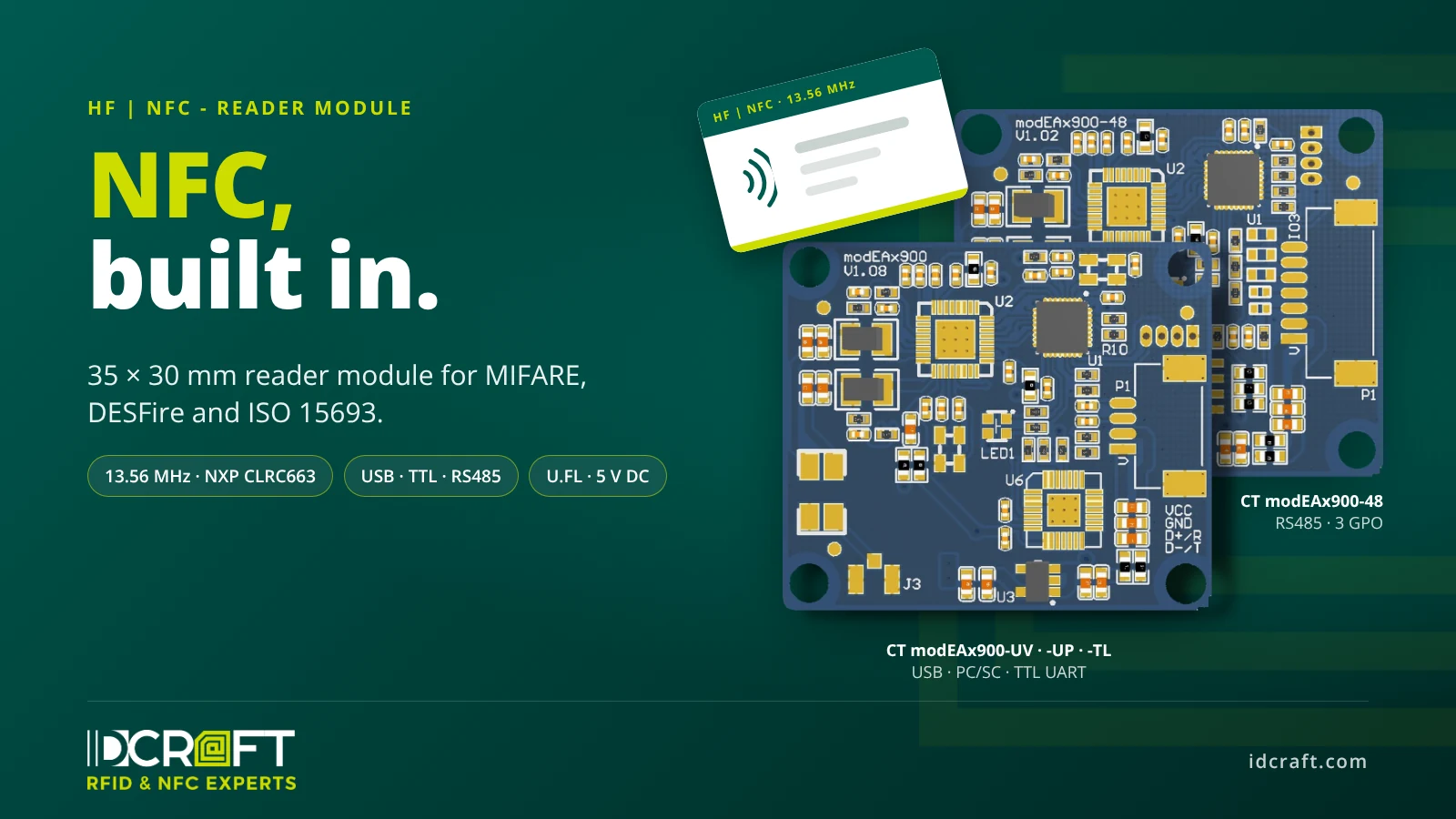
Developing your own reader circuit, on the other hand, is a project in itself: antenna matching, card protocols, authentication and firmware. A reader module takes that part off your plate. The CT modEAx900 is built for exactly this kind of integration: a 35 × 30 mm board with a height of 4.5 mm that goes behind the front of the device.
How the module works
The module carries the NXP CLRC663 reader IC and a 32-bit processor. The reader IC generates the 13.56 MHz field via an external antenna, and the processor runs the card protocols. In the -UV, -TL and -48 versions, the host, i.e. the microcontroller or PC in the device, talks to the module via a binary frame protocol; the -UP acts as a PC/SC reader.
- Detect the card. The module looks for cards in the field and separates several cards by anti-collision. For simple applications, the -UV, -TL and -48 versions can also detect ISO 14443 A and ISO 15693 cards automatically and output their UID without a command, with only one card of each type in the field; the setting can be stored as the power-on default.
- Process the card. Card-specific procedures such as MIFARE authentication, value blocks or DESFire file handling run inside the module. The host sends a short command and gets the result back.
- Give feedback. Under module control, the bicolor status LED in the center of the board shows a detected card in green and a received command in blue; the host can also switch the LEDs itself. A light guide (not included) brings the signal to the front of the device.
The frame protocol runs at 19,200 bit/s by default and can be set up to 115,200 bit/s. The technical manual describes hardware, installation, protocol and every command in detail.
Four interfaces, one footprint
The CT modEAx900 comes in four versions. Outline, hole pattern and antenna connector are identical; the connection to the host differs:
- CT modEAx900-UV: USB 2.0 full speed as a virtual COM port, for PCs and embedded systems that expect a serial interface.
- CT modEAx900-UP: USB as a PC/SC reader, for software that already addresses smart cards via PC/SC. This version supports MIFARE Classic, Ultralight, DESFire, ISO 14443-4 type A and B and ISO 15693.
- CT modEAx900-TL: TTL UART with 3.3 V levels, for direct connection to a microcontroller.
- CT modEAx900-48: RS485 with device addresses from 0x01 to 0xFF for several readers on one line, plus three 3.3 V logic outputs for signals to a controller. Relays and other loads need a driver stage.
All versions run on 5 V DC at max. 250 mA. They connect via a PanelMate connector, 4-pin, 7-pin on the -48.
The antenna: stacked or right behind the front
The module drives an external 50 Ω antenna via a U.FL connector. The matching antenna modAx3035 has the same 35 × 30 mm outline and hole pattern as the module and comes with a 10 cm antenna cable. It can be stacked onto the module board as a sandwich or mounted separately, right behind the front of the device. The ring antenna modAx25 with an outer diameter of 25 mm is available as an alternative.
Glass and plastic in front of the antenna are fine; metal nearby reduces the read range. Three rules from the manual apply to the installation:
- In a metal front, the antenna needs a window that is 5 to 10 mm larger than the antenna on all sides.
- If the antenna is recessed, the window grows with it: window size = antenna size + 2 × 10 mm + 2 × recess depth.
- Keep metal behind the antenna more than 30 mm away where possible.
With a MIFARE Classic card in ISO format, the typical read range is 50 mm. How much of it remains in the finished device depends on the front, the distance and the surroundings. Verify this with a sample in the actual installation.
Which cards the module reads
The module supports ISO/IEC 14443 A and B, ISO/IEC 15693, ISO/IEC 18000-3 Mode 3 and FeliCa. The -UV, -TL and -48 versions come with ready-made command sets for MIFARE Classic 1K/4K/Mini, MIFARE Ultralight with C, EV1 and AES, MIFARE Plus and MIFARE DESFire D40, EV1, EV2 and EV3, as well as for ISO 14443-4 CPU cards, SR176, SRI512/1K/2K/4K and ISO 15693 tags.
For access control, time recording or unlocking machines, the serial number (UID) of a card is not a security feature: any reader can read it, and it can be cloned. If cards grant permissions, use cryptographically secured authentication, for example with MIFARE DESFire EV2 or EV3; the module runs the authentication itself. IDCRAFT supplies matching HF cards and tags, encoded on request.
Technical data
- Frequency: 13.56 MHz
- Reader IC: NXP CLRC663, plus 32-bit processor
- Standards: ISO/IEC 14443 A/B, ISO/IEC 15693, ISO/IEC 18000-3 Mode 3, FeliCa
- Cards: MIFARE Classic, Ultralight, Plus, DESFire up to EV3; ISO 14443-4 CPU cards; SR176, SRI; ISO 15693 tags; -UP: smaller range
- Read range: typ. 50 mm (MIFARE Classic, ISO card)
- Host interface: USB (virtual COM port or PC/SC), TTL UART 3.3 V or RS485
- Protocol (-UV, -TL, -48): binary frames with XOR checksum, 19,200 bit/s, up to 115,200 bit/s
- Antenna: external, 50 Ω, U.FL
- Supply: 5 V DC, max. 250 mA
- Dimensions: 35 × 30 × 4.5 mm, four holes Ø 2.6 mm, pitch 31 × 26 mm
- Operating temperature: −20 to +80 °C (electronics without housing)
- Status LED: blue/green, prepared for a light guide
- Firmware update: via USB or UART
What to settle before a project
- Cards: Which cards are in use, and do they only identify or also grant permissions? This decides the command set and the security concept.
- Host: Is the module connected to a microcontroller, to a PC or, with further readers, to a bus? Does existing software already address smart cards via PC/SC?
- Front and location: Material and thickness of the front, metal nearby, required read distance. Antenna and position follow from that.
- Predecessor: Is there a protocol from a previous reader that the host software should keep speaking?
- Quantities: Samples, pilot series and series.
We go through these points with you and a sample before a project starts. All reader form factors at a glance: RFID readers; the module itself is listed under NFC reader modules.
Request a project
Send us the application, card types, host interface, installation situation and quantities. We tell you which version and which antenna fit and quote sample and project prices.
Request a project: Inquiry for the CT modEAx900 · Product page and datasheet
Frequently asked questions
Which cards does the CT modEAx900 read?
Cards conforming to ISO/IEC 14443 A and B, ISO/IEC 15693, ISO/IEC 18000-3 Mode 3 and FeliCa, including MIFARE Classic, Ultralight, Plus and DESFire up to EV3. The PC/SC version -UP supports a smaller range of cards.
How far does the module read?
Typically 50 mm with a MIFARE Classic card in ISO format. In the device, the range depends on antenna, front and metal in the surroundings.
Does the module read through a glass or plastic front?
Yes, glass and plastic in front of the antenna are fine. A metal front needs a window in front of the antenna; the dimensions are given above and in the technical manual.
Which version do I need?
The -TL for a microcontroller, the -UV for PCs and embedded systems with a serial interface, the -UP for existing PC/SC software and the -48 for several readers on an RS485 bus.
Is there a command reference?
Yes. The technical manual describes hardware, installation, protocol and all commands of the -UV, -TL and -48 versions. We provide it on request.
What does the module cost, and when is it available?
We quote sample and project prices and availability on request, depending on version and quantity.


