


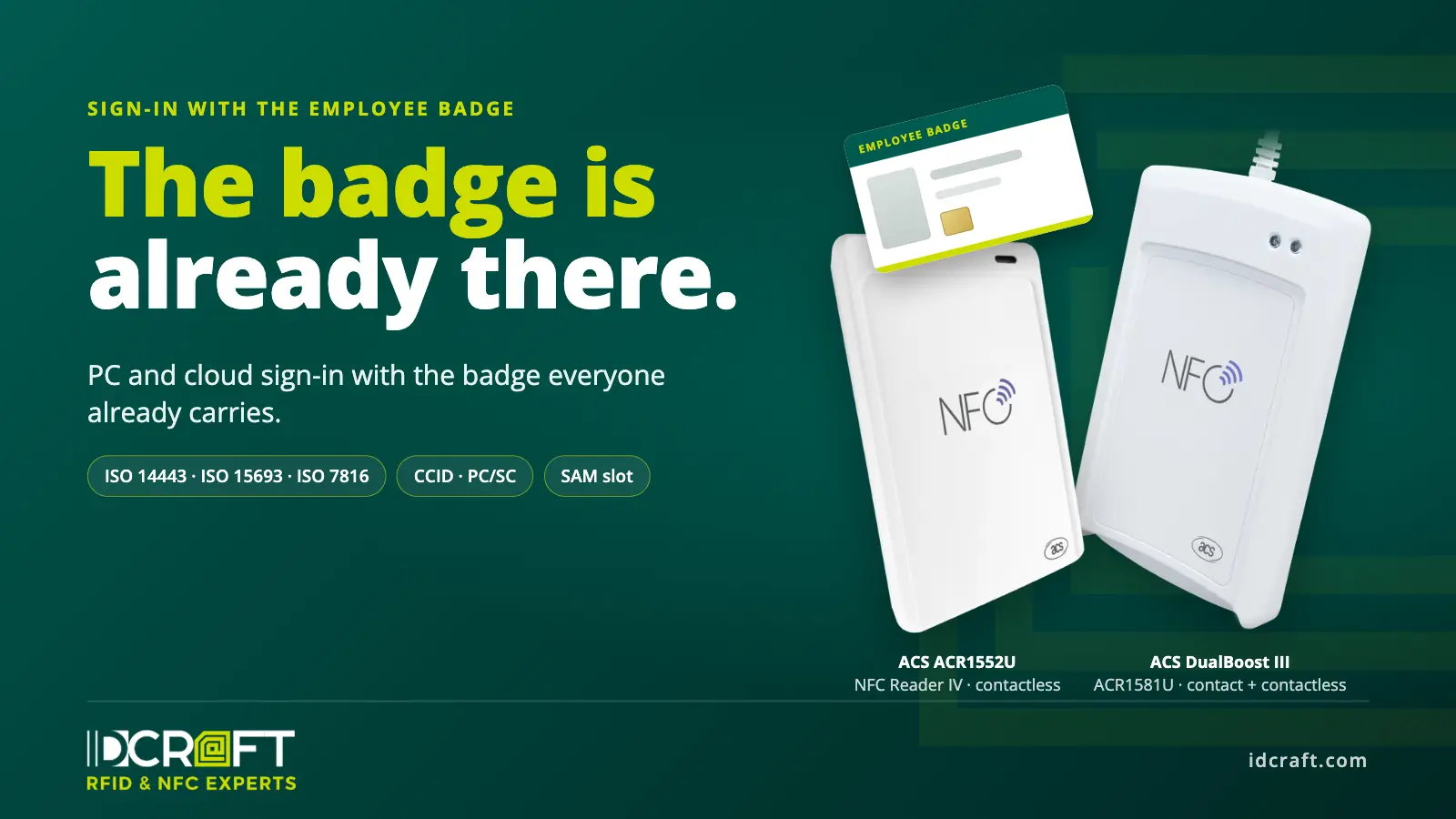
Two systems for the same person
In many companies, physical access and digital sign-in run side by side. The badge opens the door. Windows, the ERP system or Microsoft 365 need a password and usually a second factor: an authenticator app, a hardware token or another card. Every extra token or card has to be bought, issued, replaced and collected again when someone leaves. At shared workstations, every user switch costs time.
Yet everyone already carries one credential. The badge is issued centrally, assigned to one person and blocked when it is lost or the person leaves. Whether it can also handle digital sign-in depends first on the card technology and only then on the reader.
What the badge has to carry
Badges run at 13.56 MHz or, in older installations, at 125 kHz. Some also carry a contact chip. For sign-in, what matters is what sits on the chip and how it is protected.
- UID (serial number) only: weak, because it can be read without keys and cloned. Both readers read it, but it is not enough as an authentication factor.
- MIFARE Classic: weak; its Crypto1 encryption has been considered broken since 2008.
- MIFARE DESFire EV1 to EV3: strong with a protected application, AES and mutual authentication. A fit for both readers.
- FIDO2 applet on the card: passwordless and phishing-resistant. A fit for the ACR1552U, which ACS lists as FIDO-compatible.
- Contact chip with a certificate (PKI card): strong with a PIN, the classic method for Windows smart card logon. Read by the DualBoost III, not the ACR1552U.
- LEGIC advant: strong, but only with a LEGIC security module. The rf IDEAS WAVE ID Plus Mini LEGIC reads LEGIC badges; the ACS readers do not.
- HID iCLASS (legacy): weak; the master key has been public since 2010.
- HID Seos: strong with an HID reader such as the HID OMNIKEY 5422, not with the ACS readers.
- 125 kHz (e.g. EM4102, HID Prox): weak, a fixed code without cryptography. The ACS readers do not read 125 kHz; for a transition, dual-frequency readers such as the rf IDEAS WAVE ID Plus Mini cover it.
The UID is convenient because every reader delivers it without keys. That is exactly why it is not a secret: anyone who gets a card within reading range for a moment can read the number and copy it to another card or an emulator. The badge only becomes a strong factor when the sign-in software reads a protected application. With MIFARE DESFire, that means a dedicated application with an AES key, diversified per card and readable only after mutual authentication. Combined with a PIN, this gives two factors from different categories: possession and knowledge.
ACS ACR1552U: the contactless reader
As NFC Reader IV, the ACR1552U is the fourth generation of ACS’s USB NFC readers and succeeds the ACR1252U. It reads ISO 14443 A and B, ISO 15693, FeliCa and NFC per ISO/IEC 18092 on the same device. Anyone migrating from MIFARE Classic to DESFire EV3 can serve old and new badges at the same workstation.
The reader is CCID and PC/SC compliant and WHQL-certified for Windows. Credential providers and SSO clients address it through the same interface as any other smart card reader. Extended APDUs up to 64 KB are supported. On Linux it runs with pcsc-lite and ACS’s acsccid driver, on Android via an ACS library.
For keys, the ACR1552U has an ISO 7816 SAM slot (class A, SIM size). A secure access module in that slot holds the master keys and derives the card-specific keys from them. The keys stay in the module and sit neither on the PC nor in the sign-in software. The module is not included: ACS ships its ACOS6-SAM only with the SDK package, and the sign-in software has to use the SAM.
According to ACS, the reader works with FIDO-enabled devices such as YubiKey, ID-One Key and the ACS PocketKey for passwordless sign-in and 2FA. In practice this mainly concerns Windows: on macOS and Linux, browsers do not yet consistently support FIDO2 through PC/SC readers.
Besides reading and writing, the ACR1552U handles card emulation and keyboard emulation. Keyboard emulation types the card’s UID like keyboard input, without a driver on the workstation. Out of the box the reader runs in CCID mode only; keyboard emulation is switched on once with ACS’s configuration tool. That is handy for time recording or lending, but not for sign-in, because it only outputs the freely readable UID.
Technical data ACR1552U
- Frequency: 13.56 MHz
- Standards: ISO 14443 type A and B, ISO 15693, ISO/IEC 18092 (NFC), MIFARE, FeliCa
- Data rate: up to 848 kbit/s (ISO 14443), up to 26 kbit/s (ISO 15693)
- Read range: up to 70 mm, depending on the transponder
- SAM: 1 × ISO 7816 class A, SIM size, T=0 and T=1 (SAM module not included)
- Host interface: USB 2.0 full speed, CCID, fixed 1 m cable
- Variants: ACR1552U-M1 (USB-A, in stock at IDCRAFT), ACR1552U-MF (USB-C)
- API: PC/SC, CT-API via wrapper
- Operating modes: read/write, card emulation, keyboard emulation (UID, via configuration tool)
- APDU: extended APDU up to 64 KB
- Operating systems: Windows, macOS, Linux, Android, iOS/iPadOS 16 or later
- Firmware: update via USB
- Indicators: bi-colour LED (blue/green), buzzer
- Dimensions and weight: 98 × 65 × 12.8 mm, 89 g
- Compliance: CE, UKCA, FCC, RoHS, REACH, WEEE, Microsoft WHQL
Source: ACS, ACR1552U product page and Reference Manual ACR1552U Series V1.07.
ACS DualBoost III: contact and contactless in one reader
The DualBoost III (ACR1581U) is the third generation of ACS’s dual-interface readers. It has a full-size ISO 7816 card slot for contact smart cards (classes A, B and C, i.e. 5 V, 3 V and 1.8 V; T=0 and T=1) and reads the same contactless standards as the ACR1552U: ISO 14443 A and B, ISO 15693, MIFARE and FeliCa. According to ACS, it also supports PIV and CAC cards.
That makes it the reader for environments where different card technologies exist side by side or are modernised step by step: badges with a contact chip for the certificate and a contactless chip for the door, PKI cards for Windows sign-in next to contactless employee badges, or a migration in which old and new card generations run in parallel for a while. One reader at the workstation covers both routes.
Like the ACR1552U, the DualBoost III is CCID and PC/SC compliant, has an ISO 7816 SAM slot and supports extended APDUs up to 64 KB. To the sign-in software it is a smart card reader like any other, only with two interfaces.
Technical data DualBoost III
- Contact interface: 1 full-size card slot, ISO 7816 classes A, B and C (5 V, 3 V, 1.8 V), T=0 and T=1; MCU and memory cards, according to ACS also PIV and CAC
- Contactless: 13.56 MHz, ISO 14443 type A and B, ISO 15693, MIFARE, FeliCa; up to 848 kbit/s; read range up to 70 mm, depending on the card
- SAM: 1 × ISO 7816 class A, SIM size, T=0 and T=1
- Host interface: USB 2.0 full speed, CCID, fixed 2 m cable
- Variants: ACR1581U-C1 (USB-A), ACR1581U-CF (USB-C)
- API: PC/SC
- Operating modes: read/write, card emulation, keyboard emulation
- APDU: extended APDU up to 64 KB
- Operating systems: Windows, macOS, Linux, Android, iOS/iPadOS 16 or later
- Firmware: update via USB
- Indicators: two LEDs (blue, green), buzzer
- Dimensions and weight: 120.5 × 72.0 × 20.4 mm, 143 g
- Compliance: CE, UKCA, FCC, VCCI, RoHS, REACH, WEEE
Source: ACS, ACR1581U DualBoost III product page.
From badge to MFA and passwordless sign-in
The reader delivers the card data; the software makes the decision. For Windows sign-in, that is a credential provider; for cloud applications, an SSO or MFA solution that accepts the badge as a factor. At shared workstations in a hospital, lab or control room, it looks like this: present the badge, enter the PIN, signed in. The software determines how quickly users can switch and whether presenting the badge again signs them out.
A badge with a protected application plus a PIN combines possession and knowledge. That meets the basic requirement for MFA without issuing another device.
With certificate cards, the method has been established for years: Windows signs users in through the contact chip via smart card logon, and Microsoft Entra ID accepts such certificates through certificate-based authentication. This needs the contact slot of the DualBoost III.
FIDO2 makes it passwordless. The chip signs a challenge from the service with a key created for exactly that service. There is no password anymore, and a fake login page can do nothing with the signature. Microsoft Entra ID, Google Workspace and Okta accept FIDO2 security keys as passkeys. If the badge already carries a FIDO2 applet, Windows addresses it through the ACR1552U at the same workstation. If FIDO2 is new, the factor also comes as a printable card in badge format, such as the ACS PocketKey NFC Card. The password then goes away, but a second card comes in.
Beyond security, daily use matters. Where the badge handles sign-in, there is one item fewer to issue, and signing in works just like the door. Little changes for employees, which makes rolling out MFA easier.
What we check before a project
The reader is rarely the bottleneck. Whether it works depends on how badge, software and infrastructure fit together. We clarify these points up front:
- Which technology the badge carries, contactless, contact or both, and whether there is a protected application. A non-personalised card from the same series is enough for this.
- Which sign-in software is in use or planned and whether it supports PC/SC readers and the existing card technology.
- Where the keys should live: in the software, in a SAM in the reader, in the certificate on the contact chip or, with FIDO2, only on the card.
- Whether users sign in on thin clients or in remote sessions. For FIDO2 sign-in on Windows 365 Link, for example, Microsoft requires CCID readers that run on the Windows inbox driver.
- Whether the badge stock includes cards the ACS readers cannot read, and which reader fits then.
The sign-in software comes from the software or identity vendor. IDCRAFT supplies readers, samples and the technical advice around them, and introduces integration partners where needed.
Samples and evaluation
Samples of the ACR1552U and the DualBoost III are available on request, and we are happy to talk through your scenario. Ideally, send us a non-personalised card from your badge series. We check what is on it and tell you whether the badge can support sign-in, which of the two readers fits, or which route is better.
Request a sample: ACS ACR1552U or ACS DualBoost III
Frequently asked questions
Which of the two readers fits our badges?
If your badges are contactless only, for example with MIFARE DESFire, ISO 15693, FeliCa or a FIDO2 applet, the ACR1552U is enough. If they carry a contact chip with a certificate, or contact and contactless cards are in use side by side, the DualBoost III is the right reader. If in doubt, we check it on a sample card.
Does the ACR1552U also read contact smart cards?
No. It is a contactless 13.56 MHz reader. The ISO 7816 slot takes a SIM-size SAM, not a badge. For contact cards, such as PKI cards with a certificate for Windows smart card logon, the DualBoost III is the answer: it reads contact and contactless cards in one device.
Our badges use LEGIC or HID iCLASS. Does it still work?
Not with the ACS readers. With these systems they read the UID at most, and that is not enough for secure sign-in. Only a reader with the system vendor’s security element reads the protected data. For LEGIC we carry the rf IDEAS WAVE ID Plus Mini LEGIC with the SM-6300 security module, for HID iCLASS and Seos the HID OMNIKEY 5422. With iCLASS legacy, it is worth looking at the next badge generation anyway.
Is keyboard emulation enough for sign-in?
No. On the ACR1552U it types the card’s UID like keyboard input, without a driver on the workstation; it is switched on once with ACS’s configuration tool. That is handy for time recording, forms or lending. As an authentication factor, a freely readable UID is not enough.
Which variants are there?
We keep the ACR1552U in stock as the ACR1552U-M1 with a USB-A plug; ACS also offers it as the ACR1552U-MF with USB-C. Both come with a fixed 1 m cable and the SAM slot; the SAM itself is not included. The DualBoost III comes as the ACR1581U-C1 with USB-A and the ACR1581U-CF with USB-C, each with a fixed 2 m cable.
Does it work on thin clients and in remote sessions?
Both readers use CCID and PC/SC, so the basis is there. Whether the sign-in software sees them in the remote session depends on smart card reader redirection. For FIDO2 sign-in on Windows 365 Link, Microsoft specifies CCID readers that run on the Windows inbox CCID driver without third-party drivers. We test the specific endpoint up front.
What if our badges only support MIFARE Classic, iCLASS legacy or 125 kHz?
Then the badge cannot support strong sign-in. If new badges are due anyway, MIFARE DESFire EV3 is worth it, combined with FIDO2 or a contact chip for certificates if required. If the badge is to stay, a FIDO2 card in badge format such as the ACS PocketKey NFC Card adds the factor on the same reader. The password then goes away, but a second card comes in.


